

If you need further assistance, please reach out to our team via In-app Chat Support or create a ticket from Profile Menu → Create Ticket.
This Bolna Agent integration helps you automate early-stage screening, improve candidate engagement, and save recruiter time.

Written by Jaykishan A.
The Bolna Integration allows you to connect your Bolna account with iSmartRecruit and run AI-powered voice pre-screening calls directly from the platform. Once connected, recruiters can initiate Bolna calls from candidate, client, and lead records, track call history, and manage pre-screening workflows without leaving iSmartRecruit.
Run AI-based pre-screening calls
Screen candidates, clients, and leads using voice agents
Automatically capture call summaries and transcripts
Review call recordings and outcomes
Stay informed with call completion updates
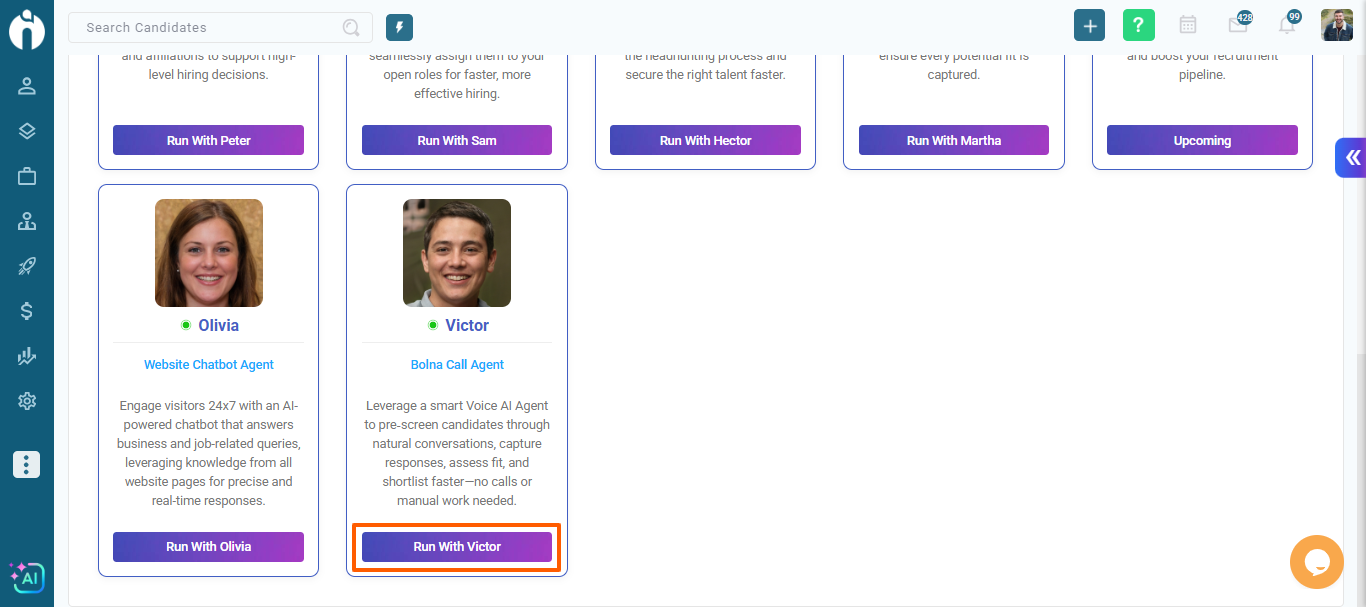
Step 1: Go to your Personal Settings and navigate to Connect tab. Also from agent screen You can click on run with Victor for redirect to bolna integration page
Step 2: Add your bolna Api key and default country code.
Step 3: Click on Update button
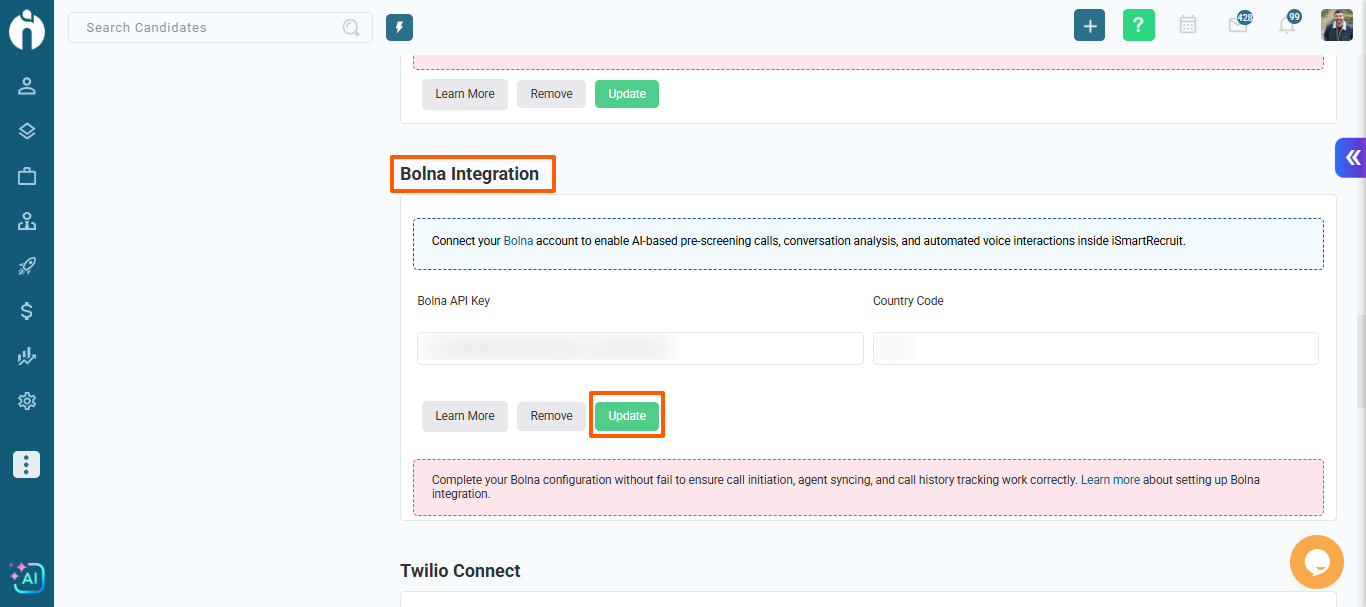
Step 4: After connection you can see bolna actions in entire system.
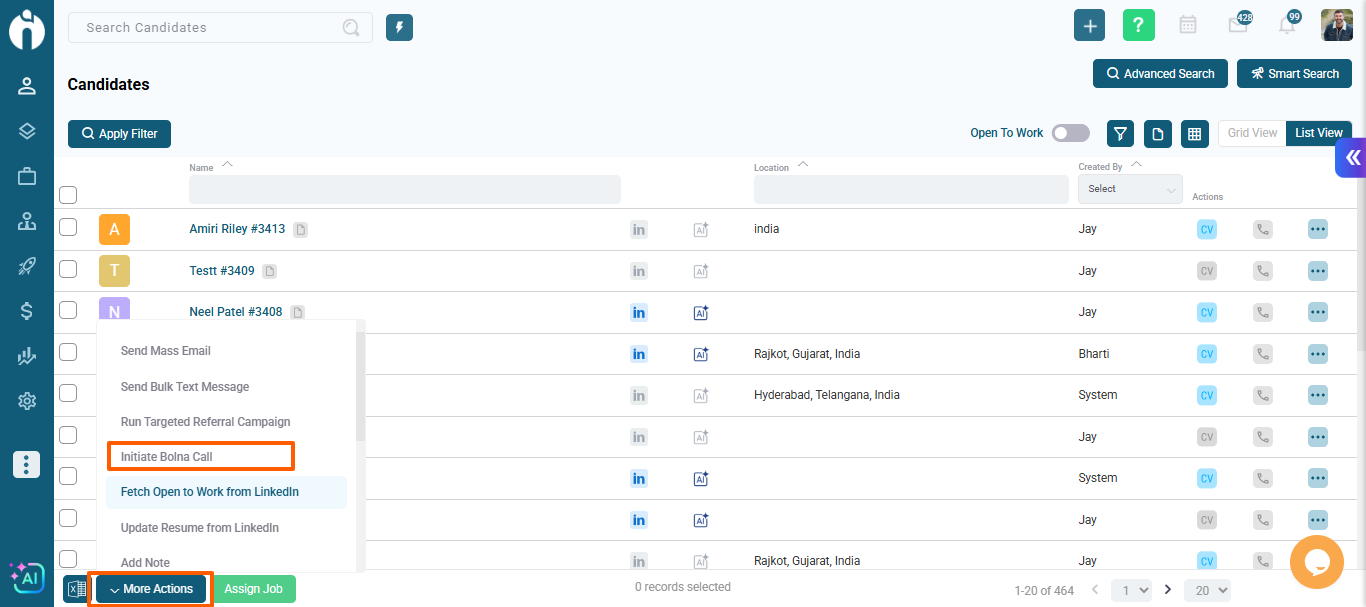
Once Bolna is enabled for your account, you can start a call from:
Candidate dialogues
Candidate (bulk actions - allows from list view, grid view)
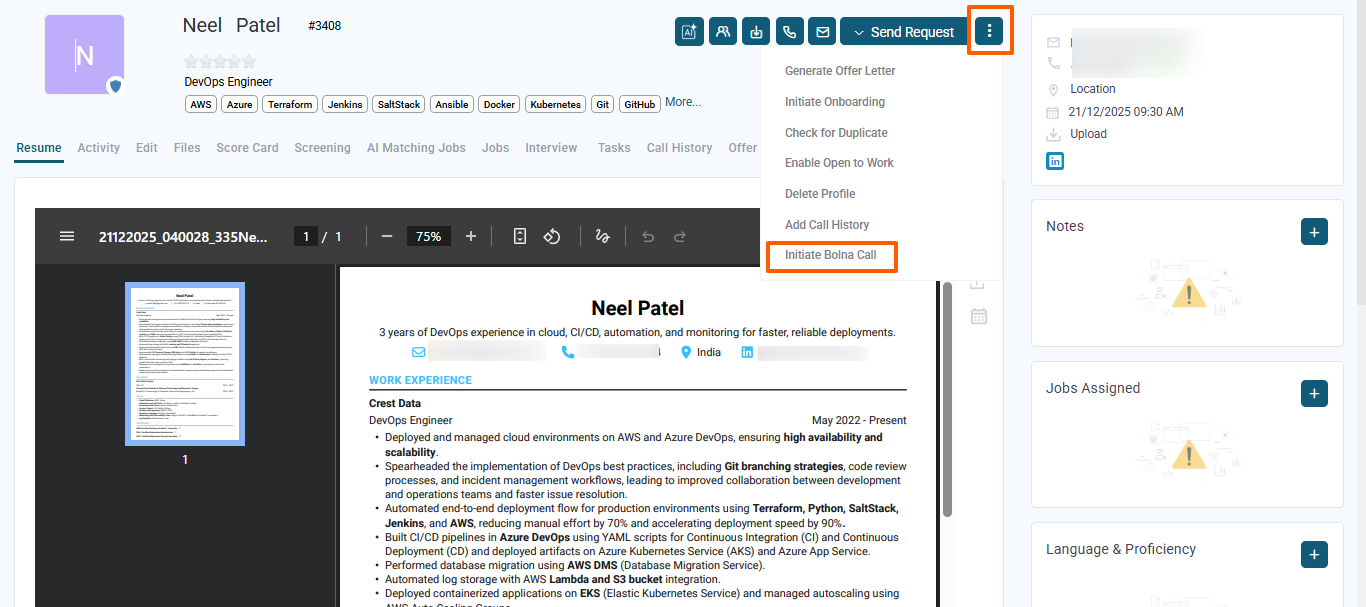
Client dialogue
Lead dialogue
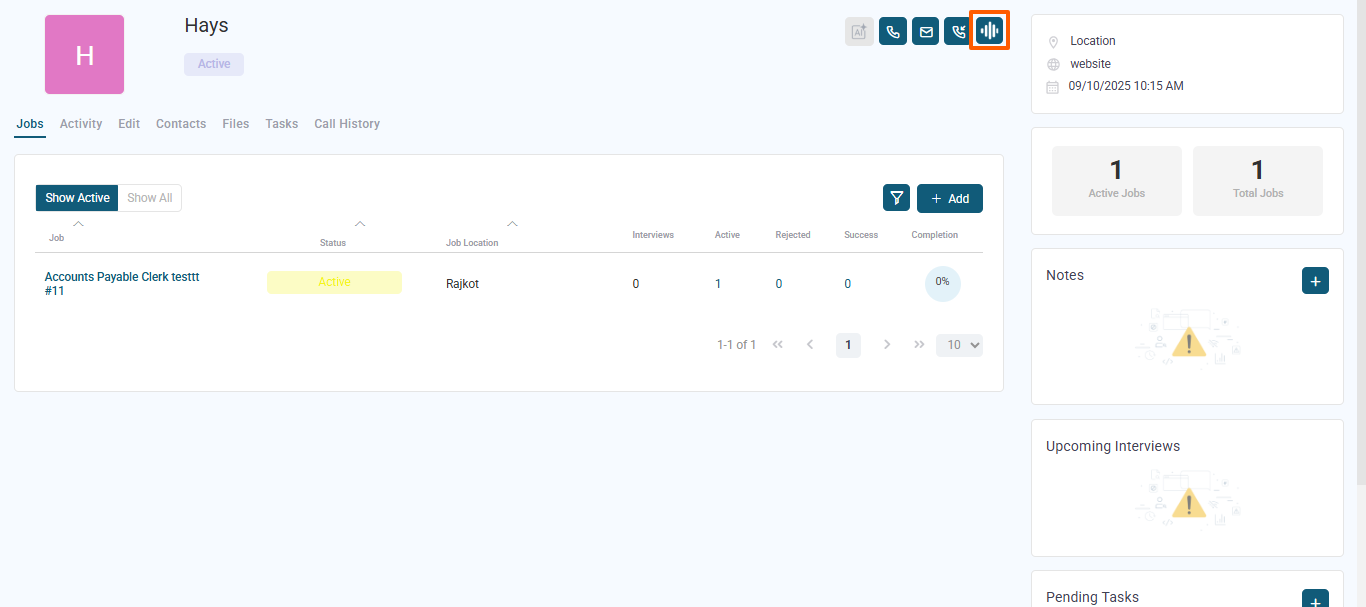
Choose a Bolna voice agent for the call
By default it takes first number (if multiple numbers are available)
Start the call
For bulk actions, you can initiate calls for multiple records at once (up to 20).
Each candidate, client, or lead record includes a Bolna Call History section in Candidate, Client, Lead dialogu - Call History Tab (If bolna connected).
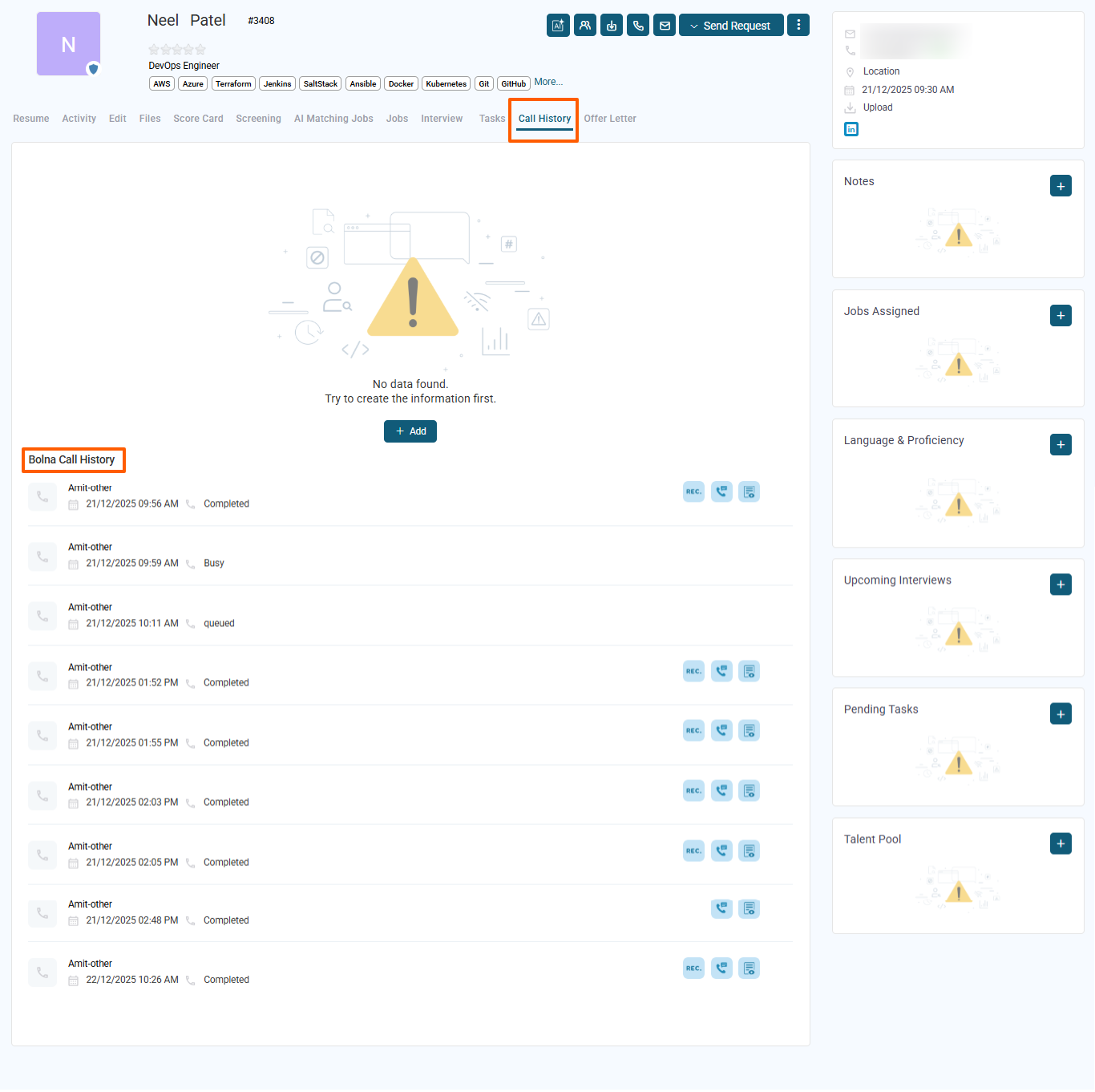
Call date and time
AI agent used
Call status (completed or failed)
Recording link (if available)
You can also view:
Call summary – a quick overview of the conversation
Call transcript – a full text version of the call
If no calls have been made yet, you’ll see a “No record found” message.
Save recruiter time with automated voice screening
Maintain consistent pre-screening conversations
Access call insights, summaries, and recordings in one place
Improve candidate engagement without manual calls
Keep all communication history tied to the right record