You can now easily update a candidate’s resume and their Open to Work status directly from LinkedIn, right inside your iSmartRecruit system. This feature streamlines your workflow by fetching the most recent candidate information from LinkedIn and archiving outdated files for future reference.

Written by Bharti Nakum
Use this guide to learn how it works and what to expect.
Update the Open to Work status of candidates based on their LinkedIn profiles.
Replace the existing resume with the most recent version from LinkedIn.
Archive previous resumes under the Files section for historical reference.
You can access this feature in multiple parts of the system via the More Actions menu:
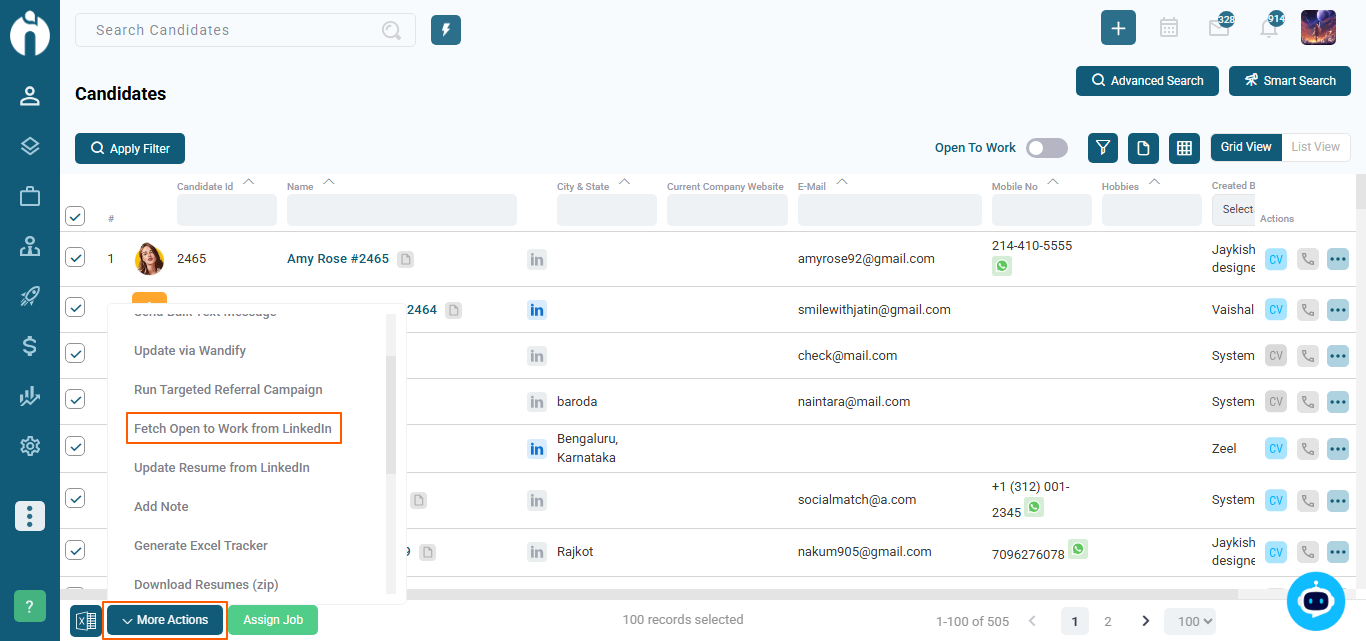
Select up to 100 candidates.
Click More Actions >> Update Open to Work Status. Click on "Fetch Open to Work from LinkedIn".
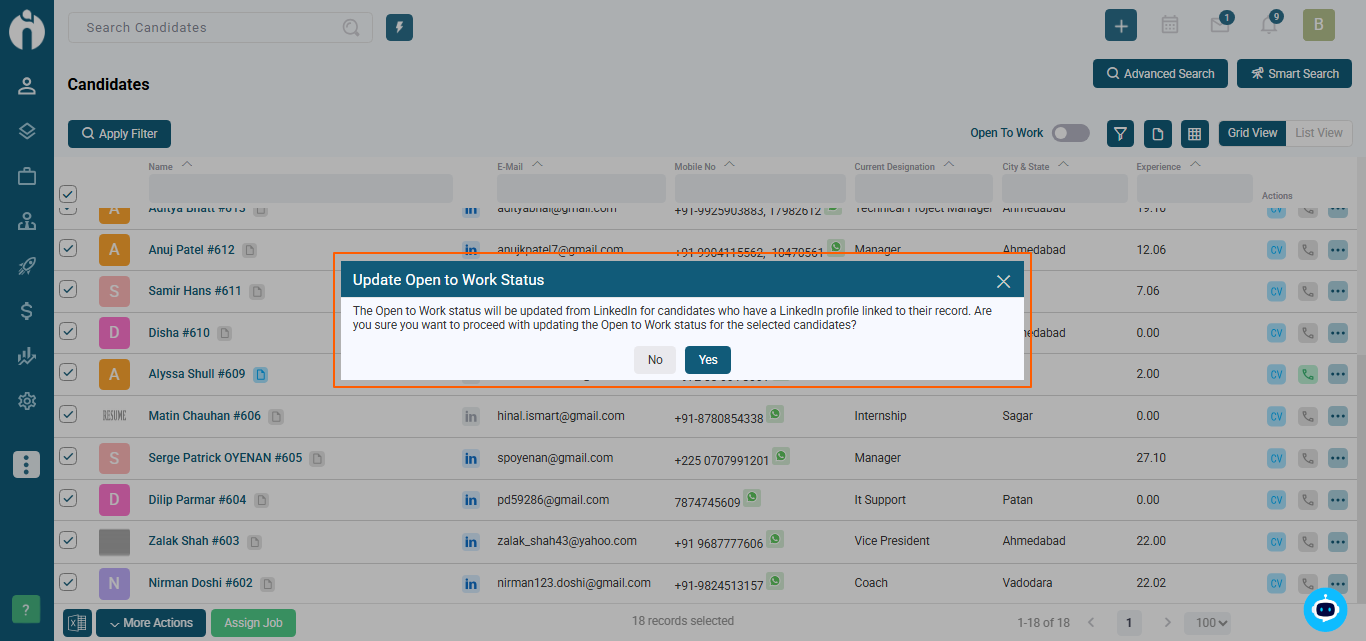
A confirmation message will appear. Click Yes to proceed or Close to cancel.
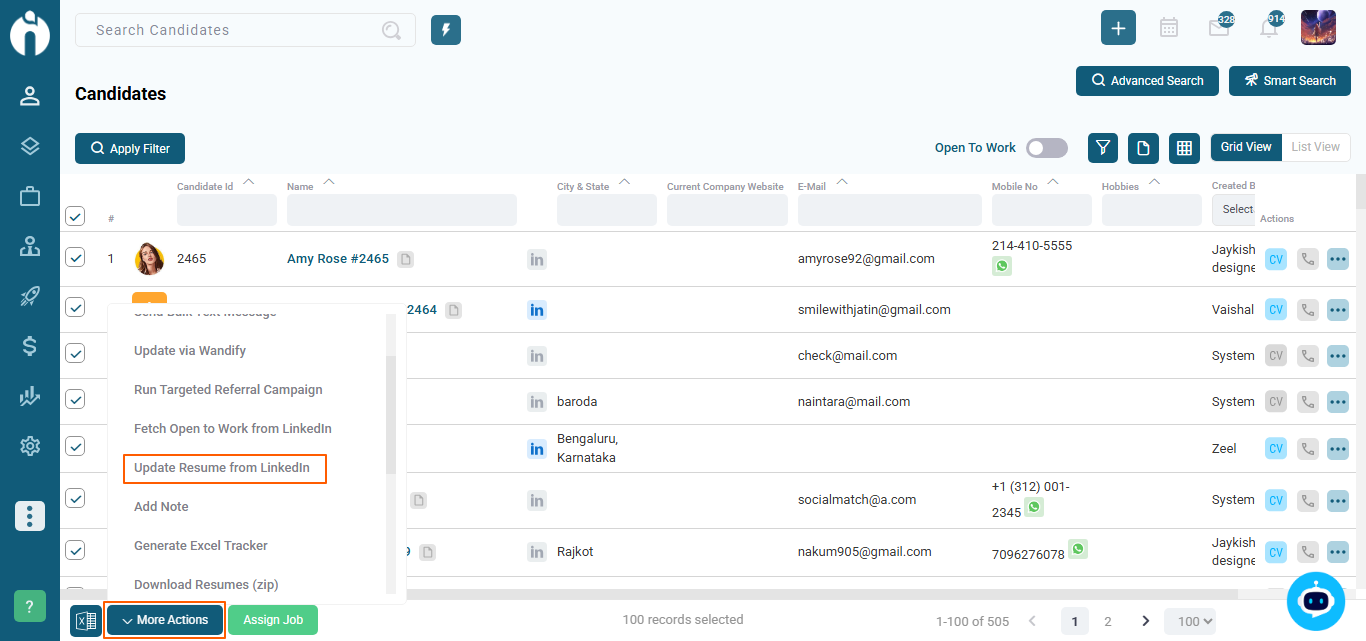
Select up to 100 candidates.
Click More Actions >> Update Resume from LinkedIn. Click on "Update Resume from LinkedIn".
A confirmation message will appear. Click Yes to proceed or Close to cancel.
Existing resumes will be moved to the Files section with a file type labeled Resume.
This ensures you keep a complete history of all resume versions.
The system checks the available RAPID_CREDIT before performing actions.
If you run out of credits, a red banner will appear.
If you select more candidates than you have credits, the system will show an error and stop the operation.
If no LinkedIn profile is linked, you’ll see: "No LinkedIn profile found for the selected candidate; unable to update information.”